Curious if you can peek at Tinder without creating an account? Yes — there are several ways to explore profiles without registering. This guide explains realistic, privacy-minded options, including using virtual numbers from SIMUB. Read on for safe, practical steps and important caveats.
Tinder 101: The Basics
Tinder normally asks new users to verify via a phone number or a Facebook account. The app is driven by simple swipes: right to like, left to pass. People look for ways to avoid signing up for reasons such as:
- Protecting personal privacy
- Curiosity about the platform before committing
- Research or testing use cases
Virtual Numbers: Your Ticket to Tinder Without an Account

Virtual phone numbers let you receive SMS online so you can verify apps without exposing your real mobile number. SIMUB is a service that provides such numbers from many countries, making it possible to register while keeping your personal number private.
What's SIMUB?
SIMUB offers temporary and long-term virtual numbers across numerous countries, with a web dashboard to receive verification SMS. These numbers are commonly used for account verification on services like Tinder, WhatsApp, and Telegram when you prefer not to share your real phone number.
SIMUB in Action
- Create a SIMUB account
- Select a virtual number from the available countries
- Use that number for Tinder verification
- Retrieve the SMS code from the SIMUB dashboard and complete verification
Searching Tinder Sans Registration: Step-by-Step
Method 1: Google Search Hack
- Open Google
- Search for site:tinder.com followed by a name, username, or location (for example: "site:tinder.com John New York")
- Review any public Tinder profiles indexed in the results
Note: Only some Tinder profiles are indexed by search engines, and many results may be incomplete or out of date.
Method 2: Third-Party Apps and Websites
There are third-party tools that claim to let you view Tinder without an account. These services can vary widely in quality and safety, so be cautious:
- Verify the service's reputation and reviews
- Follow instructions carefully and avoid giving away passwords
- Never share sensitive personal data
Creating Alternative Tinder Profiles with Virtual Numbers
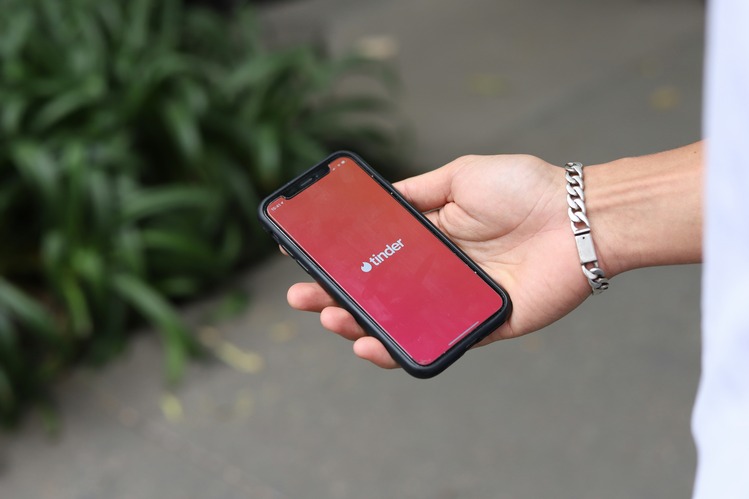
Using a virtual number to set up an additional Tinder account is straightforward. However, always respect Tinder's Terms of Service and local laws — do not impersonate others or use accounts for malicious purposes. Below is a general how-to using SIMUB.
Step 1: Sign Up for SIMUB
Create a SIMUB account on the website by providing basic details and securing it with a strong password.
Step 2: Purchase a Virtual Number
Pick a phone number from the list of countries SIMUB offers. Choose a region that matches your intended account settings.
Step 3: Download Tinder
Install Tinder from the App Store or Google Play if you haven’t already. Launch the app on your device.
Step 4: Start the Registration Process
When Tinder asks for a phone number, enter the virtual number you obtained from SIMUB.
Step 5: Verify Your Number
Tinder will send an SMS verification code. Open your SIMUB dashboard, view the received SMS, and type the code into Tinder to verify the account.
Step 6: Create Your Profile
Complete your profile with a name, age, photos, and a bio. If you're creating an alternative account, ensure the information is truthful enough to avoid impersonation or deceptive behavior.
Step 7: Start Browsing
Once verified, you can browse, swipe, and use Tinder as usual. Remember that Tinder may impose limits on matches or flag unusual activity, especially for multiple accounts.
Why Choose SIMUB for Tinder?
- Privacy: Keep your personal number private
- Multiple Accounts: Manage additional accounts without extra physical SIMs
- Global Reach: Numbers available from the US, UK, India, Germany, and more
SIMUB Benefits
- Improved privacy: Reduce exposure to spam and unwanted contacts
- Convenience: Manage several verifications from one dashboard
- Controlled anonymity: Keep your personal number separate from online accounts
- Ease of use: Receive verification SMS from nearly anywhere
Wrapping Up: Tinder Exploration Made Easier — Responsibly
Now you know practical ways to explore Tinder without registering your personal phone number. Virtual numbers from SIMUB are a convenient option, but they aren't a guaranteed bypass — some platforms block virtual or shared numbers. Always follow the app’s rules and local regulations, and avoid deceptive or illegal activity.
Ready to try it? Sign up at SIMUB to get a virtual number and begin a more private Tinder experience. Happy swiping — and stay responsible!
