Importance of Privacy
Safeguard Information
Using temporary phone numbers is an effective way to keep your personal contact details private. Instead of sharing your permanent number with apps, delivery drivers, or third-party services, a disposable number limits exposure and reduces the chance of unwanted calls, SMS spam, or data collection.
Enhance Security
A temporary number adds an extra layer of protection for your identity. It helps prevent account-related fraud and makes it harder for malicious actors to link your Uber Eats activity to other online profiles. Treat disposable numbers as a privacy-first tool that complements other security steps like strong passwords and two-factor authentication.
Benefits of Temporary Numbers

Increased Security
Temporary numbers protect you from targeted scams and unsolicited contact. By separating your delivery account from your primary number, you limit how much personal data is available if an account is compromised or shared inadvertently.
Privacy Protection
Use a disposable number to keep your social and purchasing life separate — ideal when ordering food, signing up for promotions, or testing services. This minimizes tracking and helps maintain anonymity without disrupting the convenience of SMS-based verification.
No Registration Hassles
Many temporary-number services offer instant activation and flexible, pay-as-you-go plans so you can get a number without lengthy sign-ups or long-term commitments. That makes them ideal for one-off verifications or short-term needs.
Choosing Temporary Numbers

Reliability Factors
Using temporary numbers for Uber Eats can be convenient, but pick a reputable provider. Look for clear privacy policies, reliable SMS delivery, and good customer support. Check reviews and uptime guarantees so you won’t get stuck during a verification step.
When selecting a temporary number, consider SIMUB. SIMUB focuses on secure, private communications and fast SMS delivery, so the number you use won’t compromise your personal data or leave you vulnerable during account setup.
Verification Process Simplified
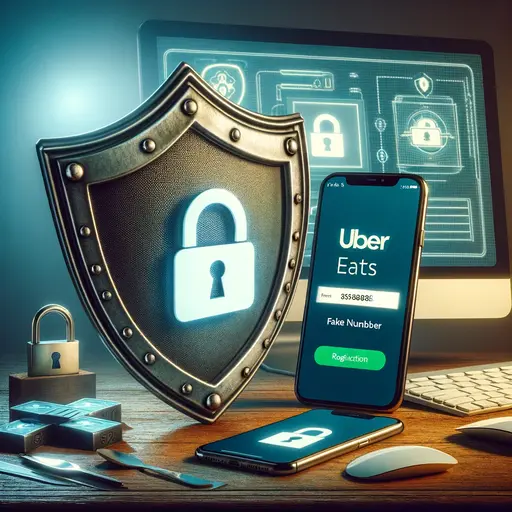
Step-by-Step Guide
Getting and using a temporary number is straightforward. Create an account with SIMUB, add funds to your balance, and select the country and number type you need. Use that number when Uber Eats asks for phone verification. SMS codes will appear in your SIMUB dashboard or inbox for you to copy and paste.
Tips: request the code promptly (verification codes often expire), double-check you entered the temporary number correctly, and monitor the inbox in your SIMUB account until verification completes.
Best Practices
Use Wisely
Use temporary numbers ethically and within the terms of the services you sign up for. They’re meant to protect privacy and reduce spam — not to evade lawful restrictions or engage in fraud. Respect platform rules and local laws when using disposable numbers.
Maintain Privacy
Adopt a consistent privacy approach: limit how many services get your main number, rotate disposable numbers for short-term needs, and regularly delete or recycle numbers you no longer need. Small habits like these significantly reduce data exposure over time.
Final Remarks
Temporary numbers can make ordering on Uber Eats more private and less intrusive. They simplify SMS verifications while keeping your permanent phone number out of the hands of marketers or curious third parties. Choose a reliable provider like SIMUB, follow verification steps carefully, and always use these tools responsibly.
Protecting your data is an ongoing process — start with a disposable number for services that don’t need long-term contact, and build privacy into your everyday online habits.
